Human-operated UX
Classic interface era, 1980s–2010s
The human operates the interface directly. The screen is the work surface, and success depends on what the person can see, understand, and click.
Designing for humans, agents, and the tools between them.
The interface has a new user.
Humans are no longer the only ones using products. Agents read, reason, click, compare, submit, and summarize on our behalf. AX makes delegation useful, legible, reversible, and hard to fake.
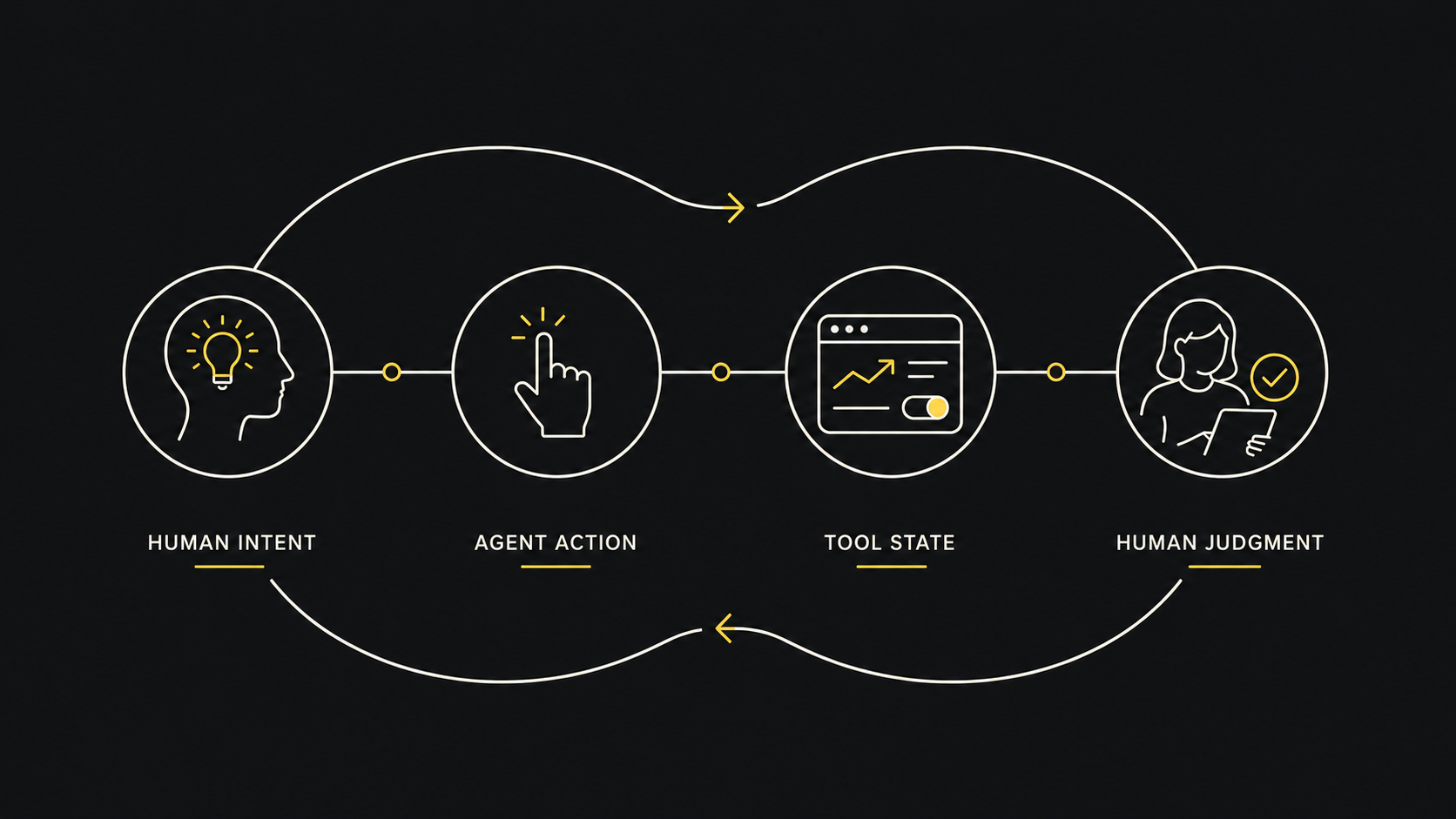
This is a guide for people designing systems where agents operate tools on behalf of humans.
This is not an AI UX pattern library. It is a working framework for agentic delegation: how agents interpret state, invoke tools, expose evidence, escalate risk, and return control.
Use it as a working frame, not a doctrine.
Classic UX assumes a human sees the interface, understands the state, makes choices, and clicks. Agentic Experience assumes a human may express intent while an AI agent reads, reasons, clicks, compares, summarizes, submits, and returns with an outcome.
The human operates the interface directly. The screen is the work surface, and success depends on what the person can see, understand, and click.
The agent summarizes, suggests, and narrates, but returns the burden. It sounds capable while leaving decisions, verification, and action with the human who asked.
The agent uses tools as instruments. It checks state, acts within limits, exposes evidence and uncertainty, and returns control at real decision points.
The hard problem is not making AI feel friendly. It is making delegation reliable while preserving human intent, evidence, and control.
These are not brand values. They are operating constraints for products where agents act through tools, APIs, workflows, and interfaces on behalf of people.
Start with the user’s desired result, not the interface the agent happened to use.
“Here is a weather site. Check the hourly forecast.”
“Rain starts near pickup. Move the bike errand earlier and bring jackets.”
Remove interaction burden without removing meaning, provenance, or control.
“Done.” No source, no state, no way to verify.
“I changed the reservation to 7:30. Confirmation number is saved. Undo link is here.”
Expose the reasoning layer when the outcome depends on interpretation, missing data, or consequential judgment.
“This is the best plan.” Based on what? Who knows.
“Best by cost and timing. Weakness: one source has stale pricing.”
Let agents prepare consequential actions, but keep human authorization at the point of commitment.
Agent books, buys, sends, cancels, or publishes without a clear gate.
Agent prepares the action, explains tradeoffs, and asks for approval before committing.
Assume tool calls can fail, time out, or return partial state. Put manual correction and rollback inside the primary flow.
Silent failure or theatrical confidence after a tool call fails.
“I could not verify the calendar state. I drafted the plan, but did not schedule it. Open Draft.”
Use tools only when they materially improve accuracy, timeliness, actionability, or trust.
Calling a widget or API just to look impressive.
Calling weather because the user’s decision depends on current forecast uncertainty.
Make the interface weight match the confidence of the claim.
“This will save money.” No assumptions, no comparison, no caveat.
“Likely saves $20–$35/month, assuming current pricing and same usage.”
Design systems so both humans and agents can understand state, constraints, errors, and next actions.
Ambiguous buttons, hidden state, unclear errors, no structured outputs.
Exposed metadata, semantic state labels, and structured errors so agents can recover without guessing.
Treat completion as a state that must be verified, not a phrase the agent gets to improvise.
“I sent it” when the tool only opened a draft.
“Draft created. It has not been sent.”
Make delegation inspectable without forcing the user to supervise every step.
Opaque automation with no trail.
“Used: calendar, weather, school pickup time. Did not access email.”
These are not generic AI UI patterns, and they are not exhaustive. They are operating patterns for agent-tool-human systems: places where delegation needs structure, evidence, recovery, or human control.
Pause before expensive, irreversible, public, or sensitive actions. Let the agent prepare, but make the human authorize.
Quantify uncertainty. Display verified, inferred, estimated, and uncertain results differently based on source quality.
→ Verified API data should not look the same as inferred LLM logic.
Expose load-bearing evidence. Surface the specific tool outputs, documents, or API states that shaped the outcome.
→ Show the source that changed the answer, not every source the agent touched.
Verify state before action. Check permissions, tool status, and current data before the agent acts on stale assumptions.
→ For permission changes, re-verify user, role, and workspace.
Every agentic workflow should ask: if this goes wrong, how does the user recover?
When the full task fails, return the useful completed part and name the blocker plainly.
Escalate when the task requires emotional nuance, legal/medical judgment, identity verification, or irreversible commitment.
Define the contract: tools expose schema-backed actions, structured errors, and permission boundaries.
→ Errors should name the failure: missing permission, stale state, or human approval required.
A short checklist for designers, PMs, engineers, and anyone tempted to say “the agent will handle it” without proving it.
Intent: Can the agent distinguish the user’s desired outcome from the literal instruction?
State: Has the agent verified the current account, object, permissions, and tool state before acting?
Permission: Would this action cause harm if performed on the wrong account, stale data, or misunderstood intent?
Evidence: Can the user see the sources or tool outputs that materially shaped the answer?
Uncertainty: Can the user tell which parts are verified, inferred, estimated, missing, or stale?
Recovery: Can the user undo, edit, retry, or escalate without starting over?
Completion: Does the UI distinguish verified, drafted, attempted, failed, partial, and pending states?
Audit: Does the system provide the user with an audit trail of tool calls, skips, and state changes?
Overhead: Did the agent reduce cognitive and operational load, or merely move it into another interface?
New user: Are interface labels, errors, states, and outputs legible to both agents and humans?
The “great” layer is where AX becomes real: not just an answer, but situated judgment, useful timing, visible assumptions, and a safe next action.
Not “show me a weather app.” Answer the decision.
Here is a weather site.
It will rain after 3pm.
Rain starts near pickup. Bike errand is safe before 2:30. Bring jackets.
Scheduling is negotiation with constraints, not just a free slot.
You are free at 4.
4pm works with your calendar.
4pm works, but it leaves no travel buffer. 4:30 is safer. I drafted both options.
Optimize without quietly buying the wrong thing.
Best deal found.
This is cheapest with delivery by Friday.
Cheapest has weak returns. This one costs $8 more, arrives Friday, and has safer returns.
Make systems legible, do not launder opacity into certainty.
Your rep skipped the vote.
The official record shows no vote.
Official record shows no vote. I could not verify whether it was absence, abstention, or data delay.
Reduce paperwork and confusion without pretending to be a clinician.
This may be your condition.
Here are questions to ask your doctor.
I summarized the record, flagged old data, and drafted questions. Diagnosis stays with the clinician.
Adapt without flattening the candidate into keyword paste.
I optimized your resume.
I matched your resume to the job description.
I mapped fit and gaps, changed only evidence-backed language, and preserved your positioning.
Admin actions need state checks before the agent changes real systems.
I updated the user permissions.
I found the user and prepared the permission change.
I verified account, role, and target workspace. I previewed the change and need approval before applying it.
Financial workflows need calculation, traceability, and approval before action.
Your taxes look fine.
This estimate uses the documents you uploaded.
This is an estimate, not a filing. I listed assumptions, dates, and missing documents before any submission.
Most bad AX will not look broken. It will look smooth, confident, and finished while hiding the parts that matter.
Fake completion: The agent says a task is done when it only drafted, attempted, or assumed.
Example: I sent the email when the message is still just a draft or the send action failed.
Invisible uncertainty: The agent hides stale data, weak sources, or inference behind a clean answer.
Example: Confidence 85% with no source, freshness, or confidence basis.
Tool theater: Tools are called to impress rather than to improve the answer.
Example: The agent runs a search after already answering, then cites irrelevant or decorative sources.
Permission creep: The agent starts taking actions the user did not explicitly authorize.
Example: A purchase, booking, deletion, or account change proceeds without a clear approval gate.
Context collapse: The system removes UI friction but also removes meaning, evidence, and control.
Example: A one-click optimize plan action hides the assumptions, trade-offs, and changes it made.
Agent-hostile tools: Interfaces expose ambiguous states, vague labels, and useless errors that
agents cannot operate reliably.
Example: Something went wrong! instead of a structured error, permission reason, or recovery path.
This guide mixes design principles, working assumptions, and interpretation. Treat it as a field guide, not doctrine.
When AX reaches money, health, identity, legal status, or public action, evidence, consent, and recovery are not optional.
AX should reduce human burden without erasing human judgment. The goal is not magic. The goal is trustworthy delegation.
© 2026 Working AX Field Guide (v. 1.4) by Savić Rašović